If you’re exploring Akai MPC Software, you’re in for a creative boost. With MPC Beats, you can efficiently craft beats using genre templates and a 2GB content library. For a complete DAW experience, MPC 2 offers flexible purchasing, real-time audio warping, and supports all MIDI controllers. VIP provides seamless control over virtual instruments, enhancing workflow with its smart interface. On the go? iMPC Pro 2 and its iPhone version bring professional music production to your iOS devices with multi-touch editing and 64-track capabilities. There’s much more to discover for dynamic music composition ahead.
MPC Beats
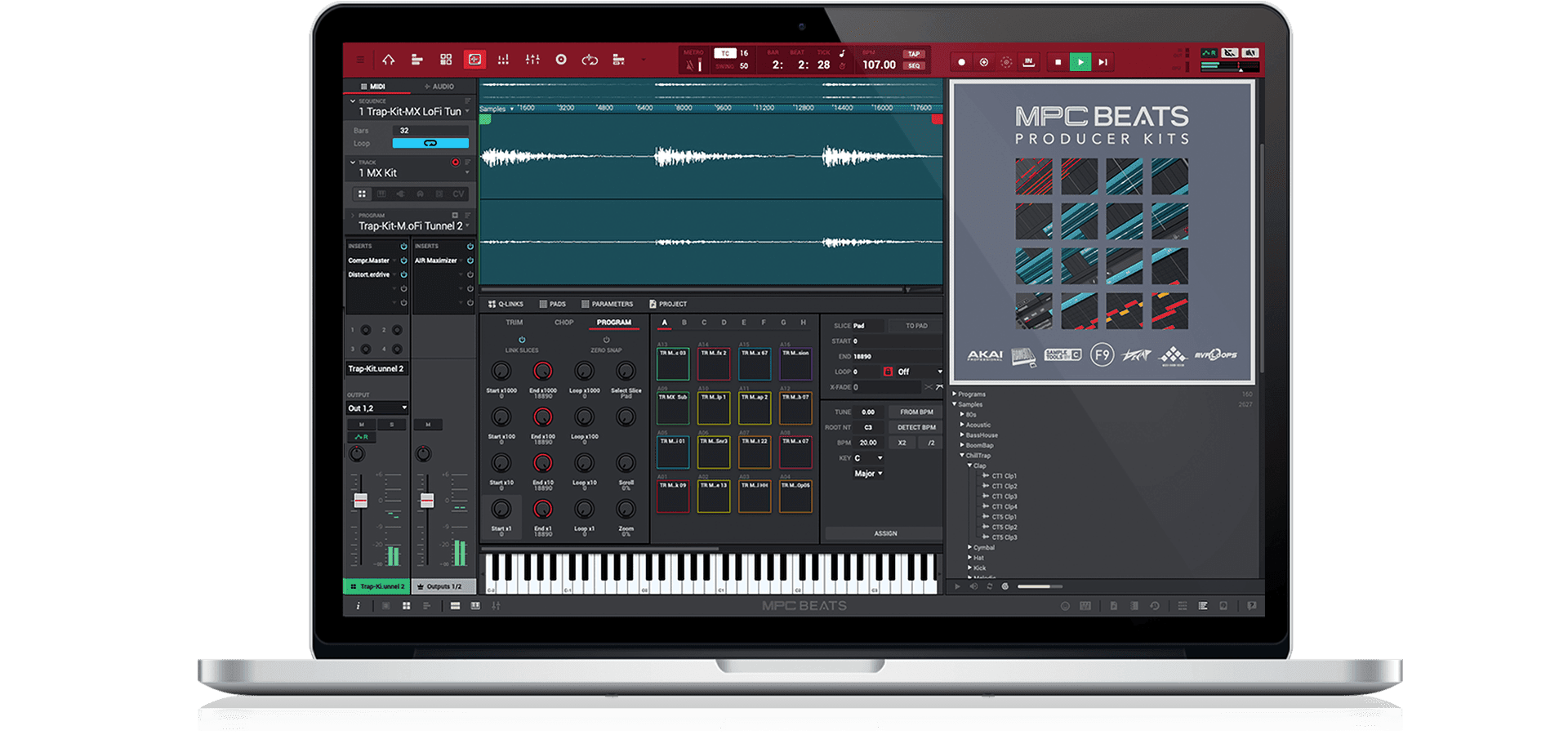
When it comes to making music, MPC Beats serves as a fully featured software designed specifically for those who want to create great-sounding beats quickly and efficiently.
It’s based on the renowned MPC workflow, providing you with genre templates like Trap, Dance, and Pop to get started effortlessly. With 2GB of content, including samples and loops, you’ll have a solid foundation to craft your sound.
Plus, the built-in virtual instrument plugins offer endless possibilities for sound creation.
You’ll love the seamless integration with class-compliant USB controllers, making it plug and play. Whether you’re using an MPK Mini or an M-Audio Oxygen, you’ve got full control over your beat-making process.
This hands-on experience enhances your creativity, allowing you to focus on making music rather than maneuvering through complex menus. The intuitive interface guarantees easy navigation and track management, so you can stay in your creative flow.
MPC Beats also excels in audio processing and effects. With over 80 audio FX plugins, you can transform your sound dramatically.
The software supports VST/AU plugins, letting you integrate third-party options smoothly. Recording instruments or vocals on 2 stereo audio tracks is a breeze, providing extensive options for audio manipulation and creative sound design.
MPC 2
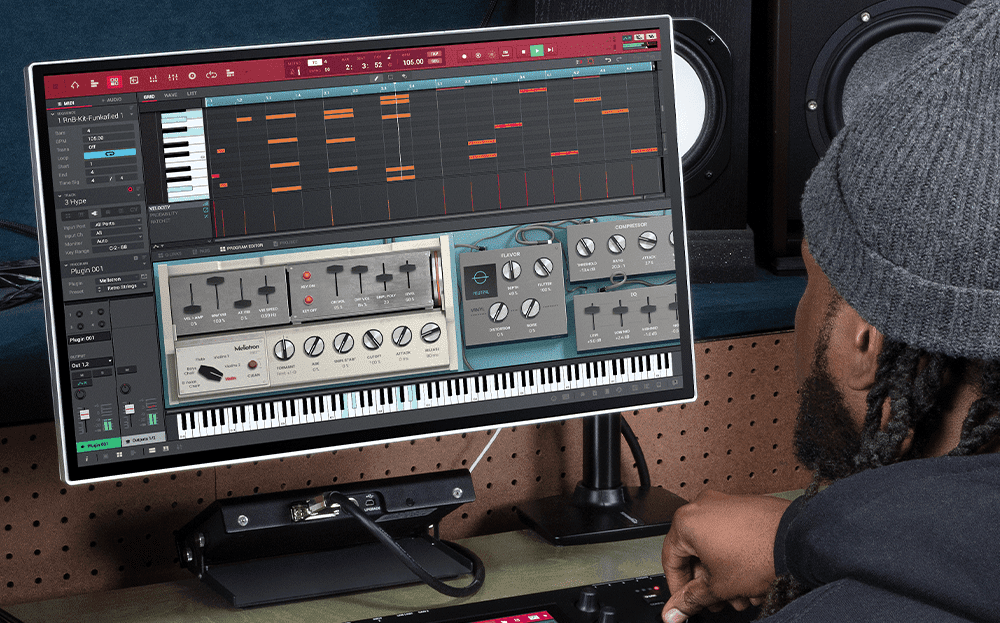
The MPC 2 software, with its flexible purchasing options, transforms seamlessly from a live performance instrument into a fully featured DAW, making it an essential tool for music creators.
Whether you’re trying it out, buying outright, opting for rent-to-own, or subscribing, you get a versatile platform designed for creativity and ease. It supports all third-party MIDI controllers with templates and serves as the core of your production setup with advanced MIDI routing capabilities.
You’ll find powerful features like audio track recording and real-time audio warping. Enhanced Q-Link™ control allows for precise manipulation, while the software’s MPC Plugin instruments—such as Mellotron, Hype, and Solina—offer robust sound options.


The extensive MIDI Multi capability guarantees wide-ranging connectivity, making multitrack recording a centerpiece of your production.
Created by AIR Music Technology, MPC 2 includes exclusive new instrument plugins and award-winning FX plugins. It boasts tools like AIR Stutter and Half Speed for advanced effects manipulation and features cutting-edge pitch processing in the AIR Vocal Suite.
With resizable faders, an adaptive channel strip, and real-time time-stretching and pitch-shifting capabilities, MPC 2 provides unrestricted creative versatility with surgical control tools, enhancing your music-making experience.
VIP
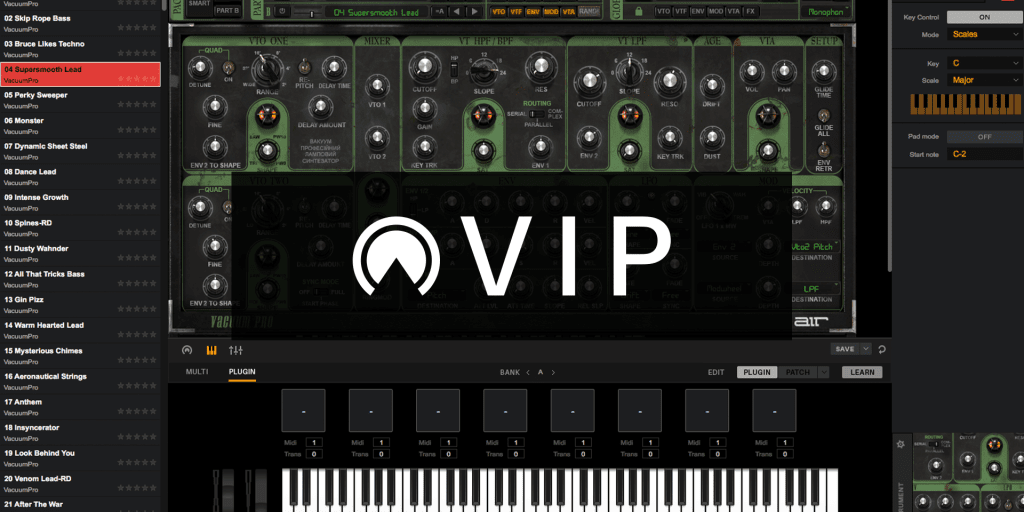
A groundbreaking tool for musicians and composers, VIP software offers an all-encompassing solution for managing your virtual instrument and effect collections. With seamless hardware and software integration, it lets you enhance your creativity effortlessly.
You’ll find it easy to navigate thanks to its user-friendly interface that maximizes your workflow and playing experience. Compatible with VST, AU, and AAX plugins, VIP guarantees you have total control over your music-making process.
One of VIP’s standout features is its intelligent patch browser, which simplifies sound selection and control. It allows you to layer up to eight instruments per instance, creating rich, multi-timbral sounds.
You can also add up to four VST effects per instrument channel, giving you the tools to sculpt your sound meticulously. With pad chord progressions and key control processors, your musical exploration knows no bounds.
The integration and workflow enhancements are impressive, supporting nearly every VST-compatible plugin. Whether you’re performing live or working in a DAW, VIP functions seamlessly in either environment.
Instant access to instrument parameters via VIP-enabled keyboards optimizes your setup without disrupting your existing workflow, making it an essential addition to your music production toolkit.
iMPC Pro 2
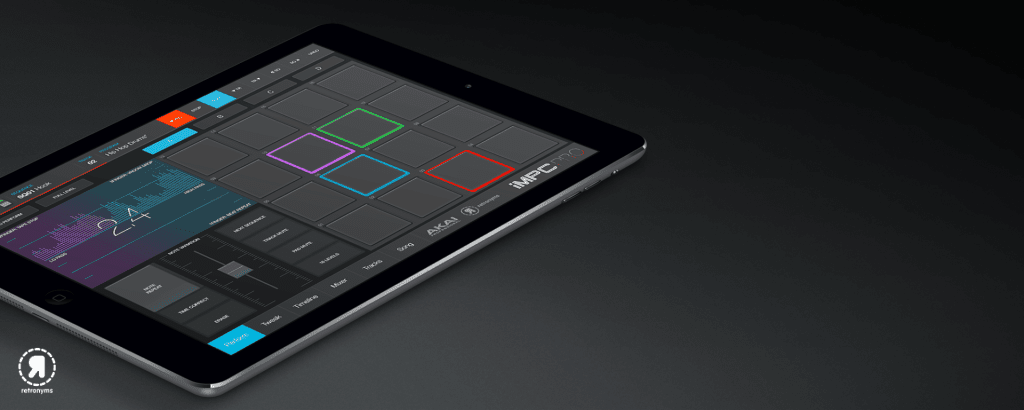
Ever wondered how you can take your music production on the go without sacrificing quality? iMPC Pro 2 is designed for iOS devices, offering an enhanced mobile music production experience. This app brings together the iconic MPC workflow with advanced audio track recording, developed in collaboration with Retronyms, the original creators of iMPC.
You get access to a robust set of tools, including built-in sampling, a detailed sound library, and powerful performance features.
With iMPC Pro 2, you can record samples using your device’s microphone, line input, or even pull from your iTunes library. The new resampling feature lets you capture audio directly from the Master output.
The multi-touch sample editor allows you to zoom, adjust envelopes, and control gain, making it easy to slice samples into one-shots or loops. You can apply effects like reverse, normalize, and fade within the editor itself.
The Timeline View provides a multi-touch gestural editor for intuitive sequencing. You can easily program beats using the grid system, and the Time Correct feature guarantees precise quantization.
With support for 64 tracks and extensive mixing capabilities, iMPC Pro 2 empowers you to create professional-quality music anywhere.
iMPC Pro 2 for iPhone
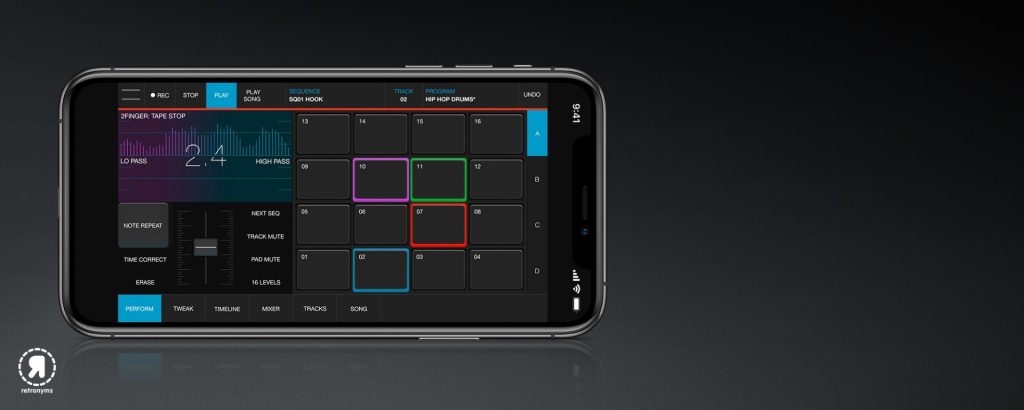
You’re enjoying the flexibility of iMPC Pro 2 on your iOS device, but what if you want that same power on a more compact platform? iMPC Pro 2 for iPhone brings this advanced music production suite to your fingertips, allowing you to create wherever inspiration strikes.
With its 64-track capacity and extensive sound library, you’re equipped to produce rich, layered compositions on the go. This app maintains the core functionalities of the original iMPC, enhanced by collaboration with Retronyms.
You can harness the intuitive gestural editor to craft sophisticated beats and melodies with ease. Multi-track flexibility is at your disposal with 4 pad banks of 16 pads each, while dedicated mixer channels offer control over gain, EQ, and effects.
Sampling is versatile with five methods, including microphone and line input, and advanced editing tools let you manipulate waveforms with precision.
Flux control and 3D-performance mode guarantee dynamic, real-time sound manipulation during performances. Integration with other iOS apps and direct upload options to platforms like SoundCloud make sharing your creations seamless.
iMPC Pro 2 for iPhone truly empowers you to turn your musical ideas into reality, anytime, anywhere.
Frequently Asked Questions
What Are the Hardware Compatibility Requirements for Akai MPC Software?
You need to check the specific system requirements for your device. Typically, guarantee you’ve got a compatible operating system, sufficient RAM, available storage, and necessary drivers installed to effectively run the music production software.
How Can I Transfer Projects Between Different Akai MPC Software Versions?
It’s no coincidence you’re wondering how to transfer projects. You can export your files in a compatible format, ensuring both versions support it. Then, simply import them into the desired version for seamless project continuation.
Is There a Subscription Model Available for Akai MPC Software Updates?
You’re wondering if there’s a subscription model for software updates, right? Yes, they’ve introduced one. This model guarantees you’re always up-to-date with the latest features and improvements, enhancing your music-making experience without unexpected costs.
Can Akai MPC Software Be Integrated With Third-Party Plugins?
Over 90% of users enjoy seamless integration with third-party plugins, enhancing your creative process. You can easily incorporate your favorite tools, expanding possibilities and elevating your music production experience to new heights. Immerse yourself in endless sonic adventures!
What Are the System Requirements for Running Akai MPC Software on a PC?
To run it on your PC, you’ll need at least Windows 10, a multi-core processor, 4GB RAM, and 2GB of free disk space. Make certain your system’s graphics drivers are up-to-date for peak performance.