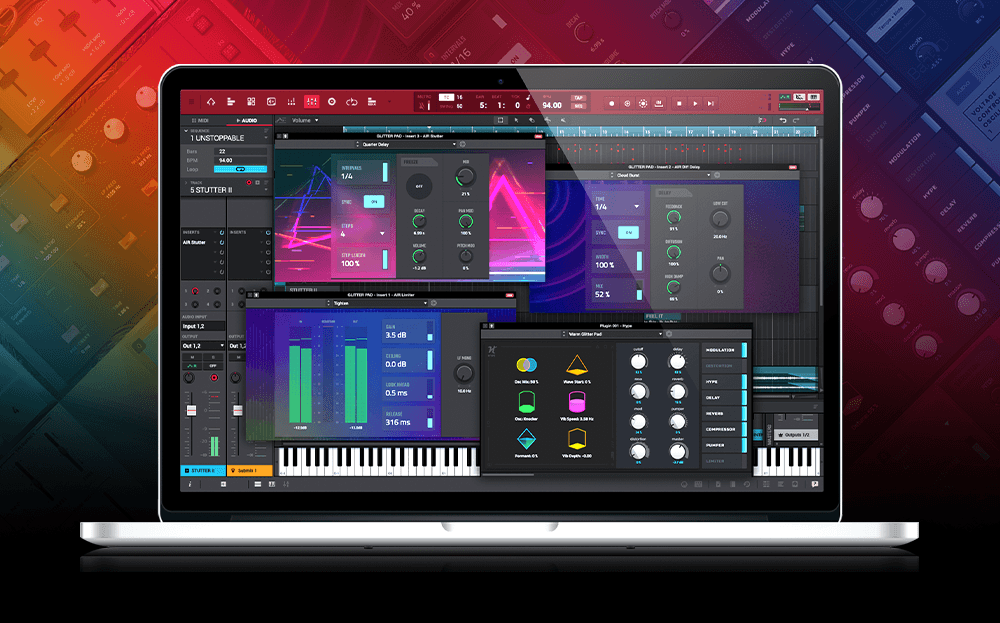
Akai Professional MPC Studio MIDI Controller Beat Maker
Explore professional music creation with the Akai Professional MPC Studio MIDI Controller Beat Maker. Its 16 full-size velocity-sensitive RGB pads give you dynamic beat control. The USB connection pairs easily with your computer, while the included MPC 2 software provides over 2GB of exclusive sound content and access to 100+ plugins. A vibrant LCD screen and assignable Touch Strip make your workflow smooth and efficient. Enjoy direct DAW integration for polished compositions. With its sleek, durable design, it’s perfect for on-the-go music production. There’s a lot more to uncover if you’re curious about its capabilities and possibilities. Read our review here on Best Digital Piano Guides and see how good this product is.
Key Features of MPC Studio
Explore the standout features of the Akai Professional MPC Studio, and you’ll quickly see why it’s a favorite among music producers. With its 16 full-size velocity-sensitive RGB MPC pads, you get dynamic and expressive control over your beats and performances. These pads respond to your touch with precision, making them ideal for crafting intricate drum patterns or triggering samples with ease.
The USB bus connection guarantees that your MPC Studio integrates seamlessly with your computer, providing power and data transfer in one straightforward setup.
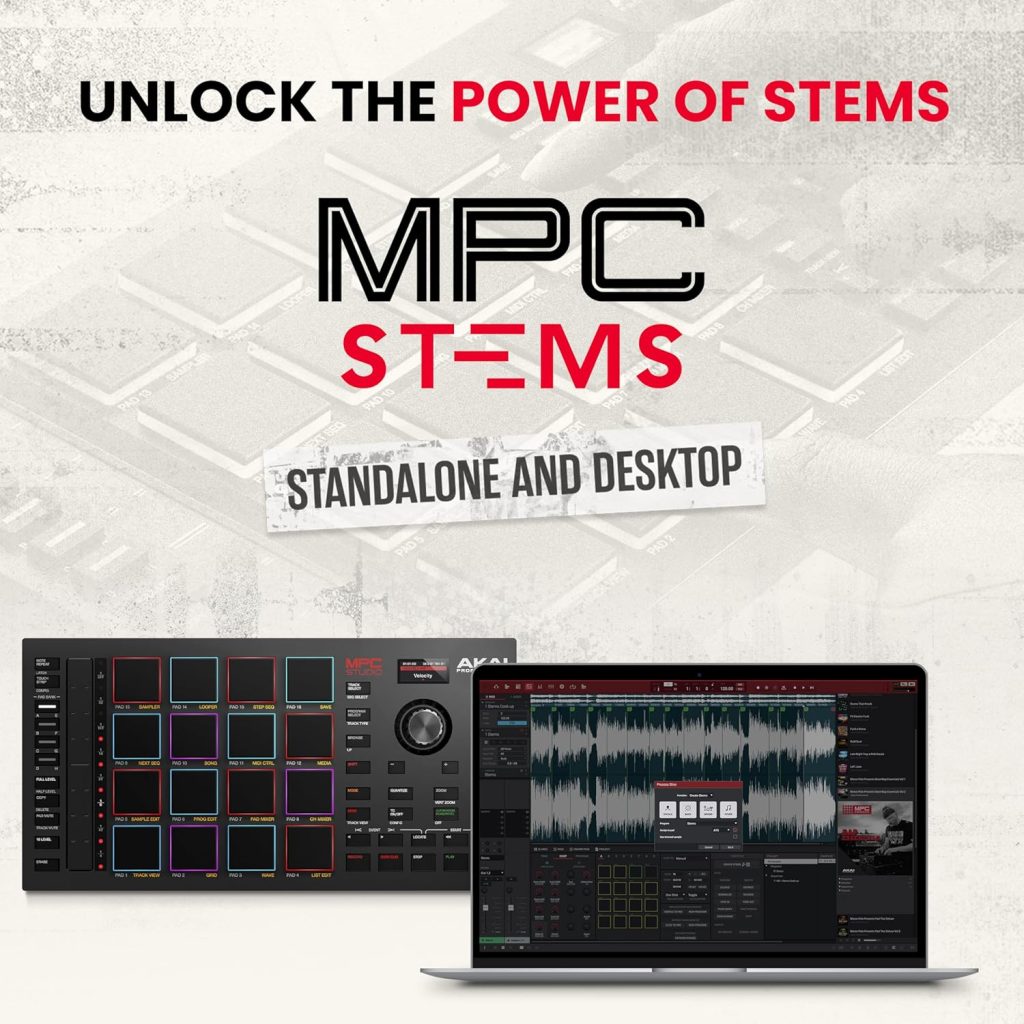
The included software, MPC 2, enhances your experience by offering over 2GB of exclusive sound content and more than 100 instrument and effects plugins. This transforms the MPC Studio into a complete studio music production controller, equipping you with all the tools needed to produce high-quality tracks.
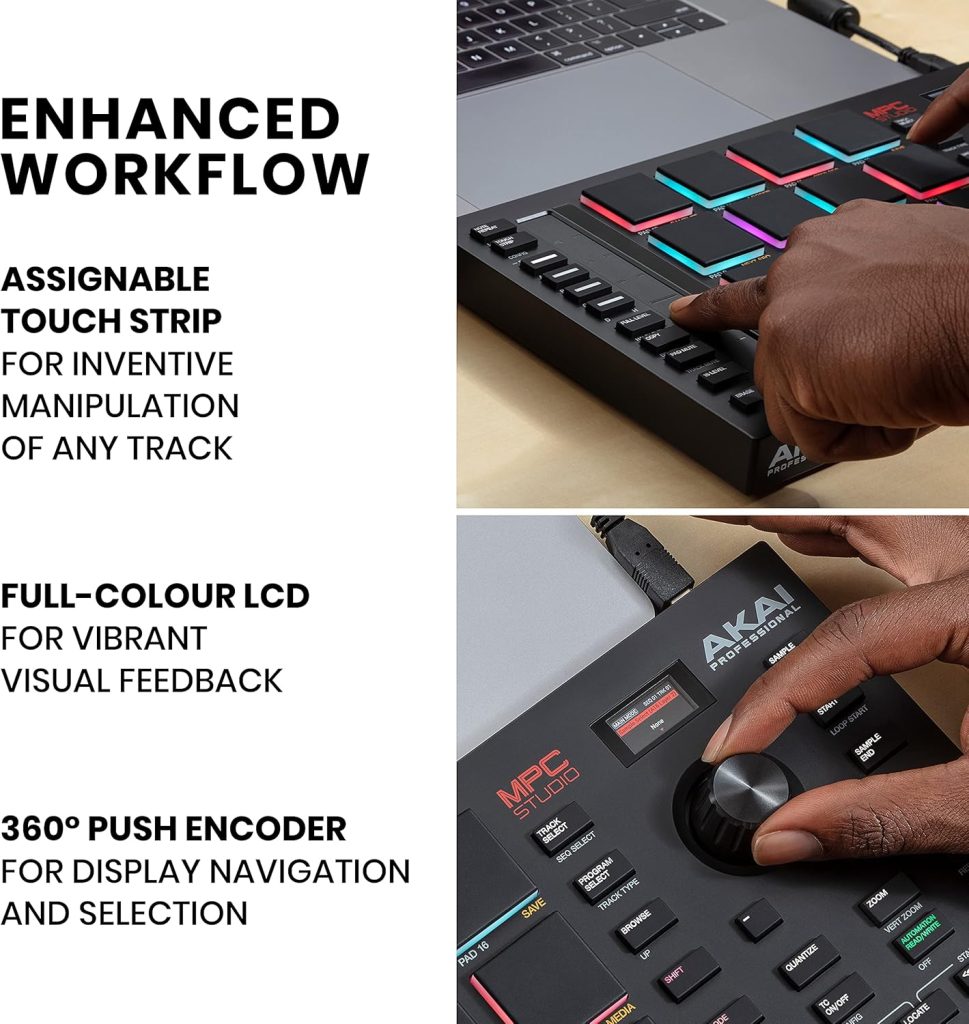
The vibrant color LCD screen offers real-time visual feedback, so you can trim waveforms and browse plugins without disrupting your workflow.
Additionally, the assignable Touch Strip adds another layer of control, allowing you to manipulate sound parameters fluidly and creatively. This feature, combined with MIDI input/output capabilities, expands your creative possibilities, making the MPC Studio an indispensable tool in your music production arsenal.
Integration With DAWS
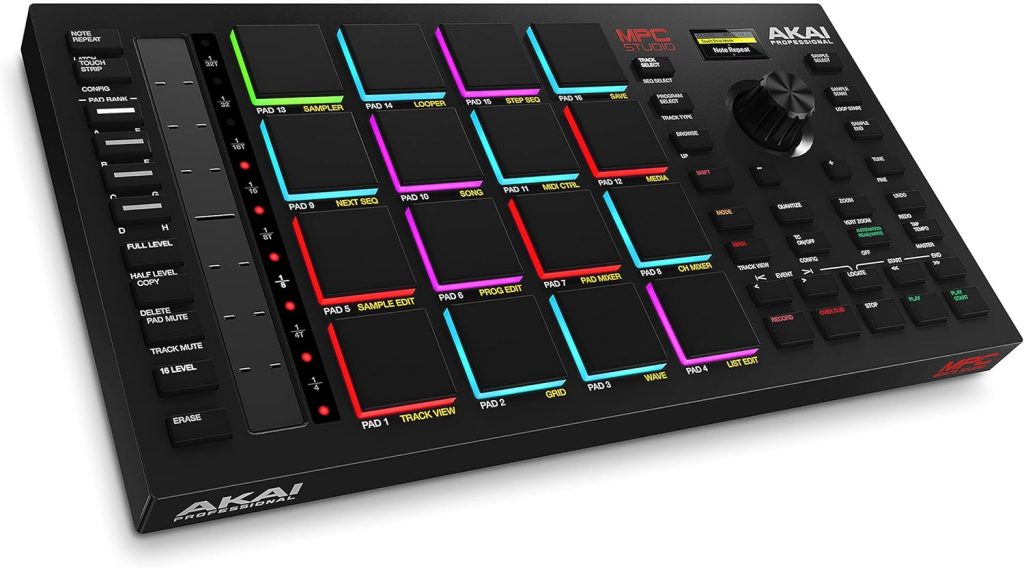
While the MPC Studio showcases a plethora of features that make it a favorite among producers, its true power is revealed through its seamless integration with major DAWs. This integration is powered by the versatile MPC 2 software, which supports VST plugins, allowing you to compose music with rich textures and diverse sounds.
Whether you’re using it as a MIDI controller or a studio music production controller, the MPC Studio guarantees an efficient workflow. Operating in both controller mode and standalone mode, it adapts to your needs, making it perfect for any production environment.




The redesigned GUI and Ableton Link compatibility enhance your creative process, making real-time collaboration and music-making sessions a breeze. You can assign samples to pads directly from the hardware, streamlining the workflow and minimizing the need for constant computer interaction.
This feature alone considerably boosts productivity, letting you stay in the zone without disruptions. The MPC Studio includes everything you need for advanced MIDI editing, guaranteeing that your compositions are both intricate and polished.
With its seamless DAW integration and robust capabilities, the MPC Studio is more than just a tool—it’s an essential partner in your music production journey.
Sound Design Capabilities
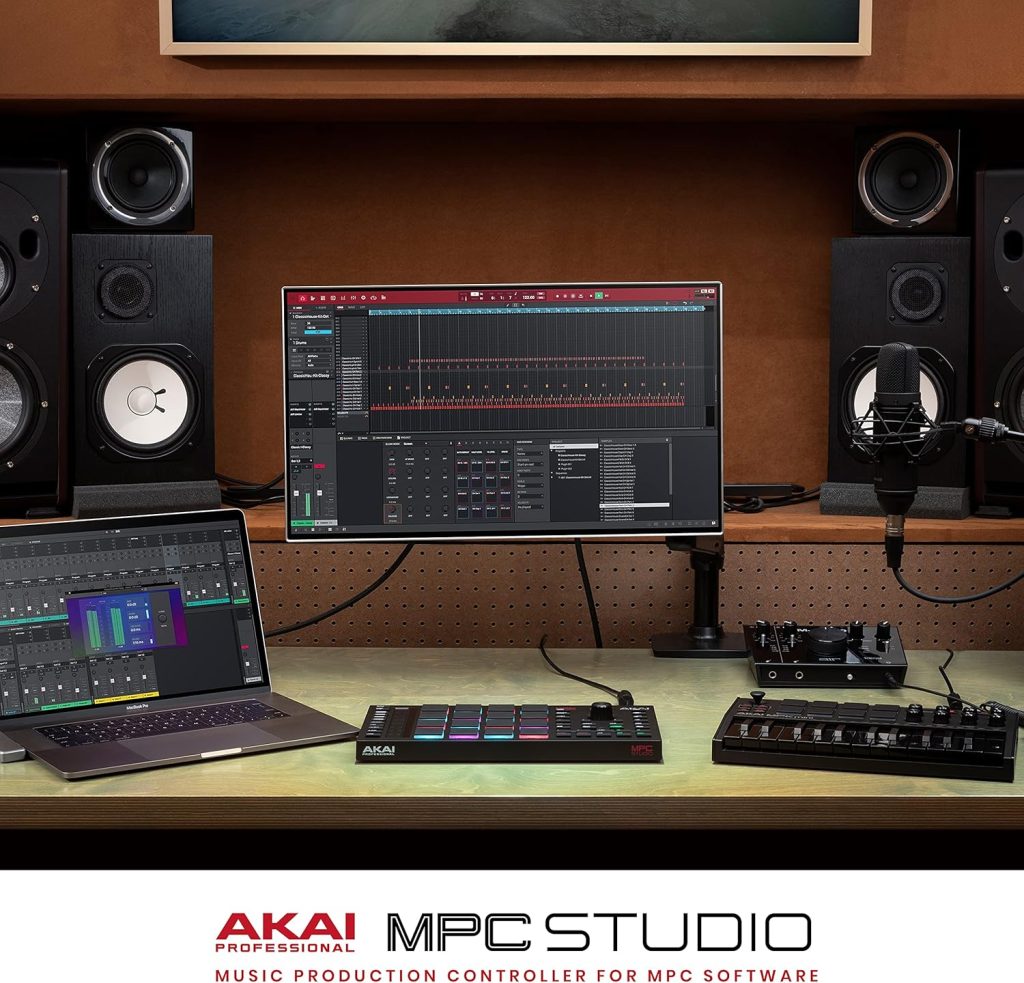
The MPC Studio MIDI Controller boasts impressive sound design capabilities, offering over 2GB of exclusive sound content to elevate your music production. You can immerse yourself in a rich library of samples and loops crafted by top designers, providing a solid foundation for your tracks. The 16 velocity-sensitive pads let you trigger sounds with precision, ensuring every beat hits just right.
With the Akai Professional MPC Studio software, you can layer multiple sounds and instruments, creating complex compositions with ease. This flexibility allows you to explore various sonic textures and craft rich, melodic tunes. The assignable touch strip is another great tool for sound design, giving you fluid control over parameters for dynamic sound shaping.
The controller’s 24-bit/96kHz audio resolution supports real-time processing, ensuring detailed sound manipulation and high-quality output. To enhance your productions further, the software includes powerful VST plugins like Hybrid and Vocal Suite. These plugins provide extensive options for sound design and vocal processing, allowing you to experiment and push your creative boundaries.
Additionally, the mixing tools within the MPC software help you fine-tune your tracks, ensuring a polished final product that stands out.
Whether you’re a beginner or a seasoned producer, the MPC Studio’s sound design capabilities are sure to inspire.
Hardware Controls and Design
How does the Akai Professional MPC Studio MIDI Controller stand out in its hardware controls and design? It’s all about blending functionality with portability.
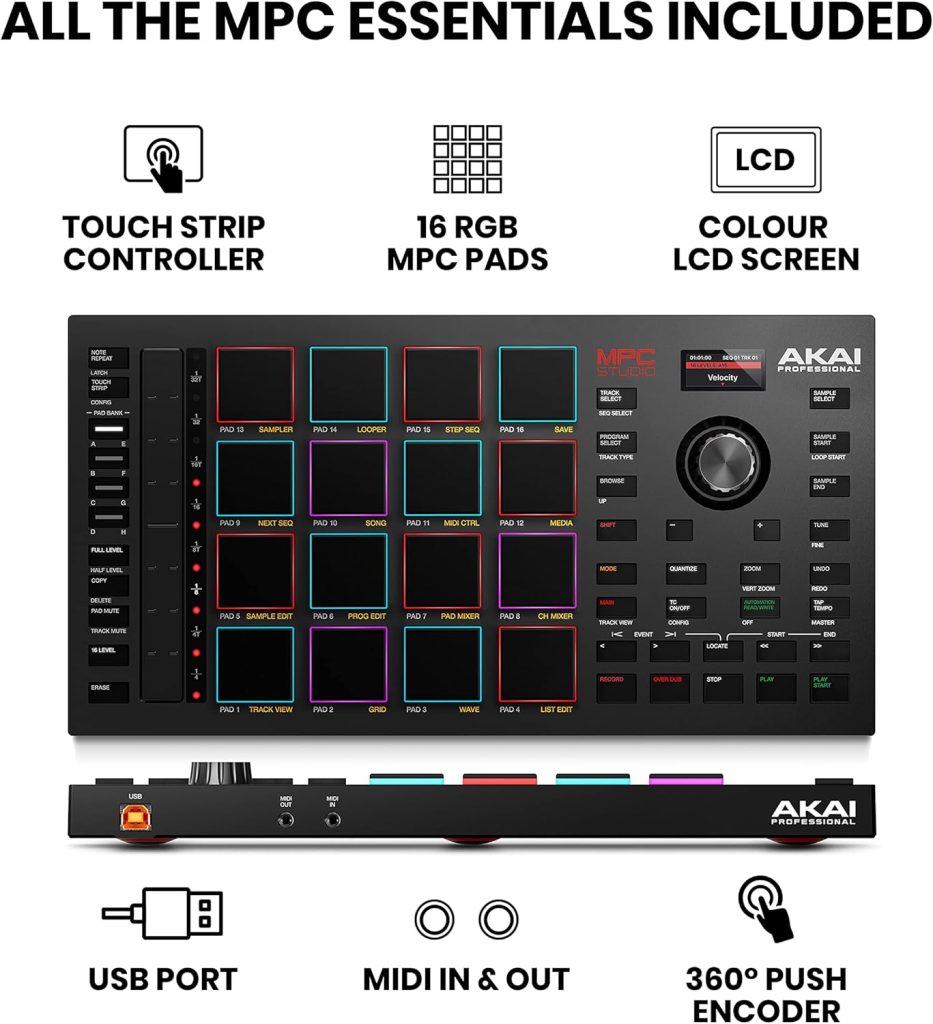
The MPC Studio boasts a sleek design, measuring just 1.55 inches in height and weighing under two pounds. This compact form makes it a breeze to transport, perfect for producers on the go. The brushed aluminum construction not only looks great but guarantees durability, so you can rely on it for countless sessions.
One of the standout features is the 16 full-size, velocity-sensitive RGB pads. These pads offer dynamic performance, allowing you to create beats and notes with precise timing and expressive sound. You’ll appreciate the vibrant color feedback they provide, making it easy to keep track of your beats visually.
Adding to its versatility is the assignable Touch Strip. This feature gives you the power to manipulate sounds fluidly and customize parameters, enhancing your musical expression.
When it comes to connectivity, the MPC Studio is USB-powered, providing seamless integration with your computer without the need for external power sources. The bright color LCD screen offers real-time feedback, letting you make adjustments without halting your workflow.
Included Software and Samples
Exploring the Akai Professional MPC Studio MIDI Controller’s capabilities doesn’t stop at its impressive hardware. The included MPC 2 DAW software is a powerhouse for music production and beat making, offering advanced tools for sampling, sequencing, and arrangement.
You’ll find a massive 7GB+ sound library at your fingertips, featuring iconic MPC3000 sounds that can elevate your music projects. With over 100 instrument and effects plugins, your creative possibilities are virtually limitless.
The software’s support for VST plugins means you’re not confined to the built-in sounds. You can integrate third-party instruments and effects to expand your sonic palette even further. This flexibility allows you to tailor your music production environment to suit your unique style and needs.
Real-time audio processing in MPC 2 guarantees you get immediate feedback while recording and editing tracks, enhancing your workflow efficiency. You can effortlessly access a variety of samples and loops within the software, making it easy to assemble and manipulate musical ideas quickly.
Whether you’re a beginner or an experienced producer, the MPC 2 software combined with the MPC Studio hardware delivers an all-encompassing and powerful music-making experience.
Frequently Asked Questions
Can MPC Studio Be Used as a Midi Controller?
You’ll find that 80% of producers use versatile gear like the Akai Professional MPC Studio as a MIDI controller. It lets you control software and hardware devices seamlessly with its pads and knobs, enhancing your music production experience greatly.
Which MPC Is Best for Beginners?
You’re looking for the best MPC for beginners? Go for the MPC Studio. It’s user-friendly, offers professional features, and is budget-friendly. Its seamless DAW integration and extensive software make it perfect for starting your music production journey.
Does Akai MPC Studio Come With Software?
Yes, the Akai Professional MPC Studio comes with the MPC 2 software. You’ll enjoy advanced tools for sampling and sequencing. The software’s user-friendly interface and extensive sound library make it easy to create professional-quality music right away.
Can You Make Music With MPC Beats?
Plunge into the ocean of creativity with MPC Beats. You can compose symphonies using its powerful tools and expansive sound library. It supports VST plugins, offering you versatile soundscapes for professional-quality music, whether you’re a beginner or pro.