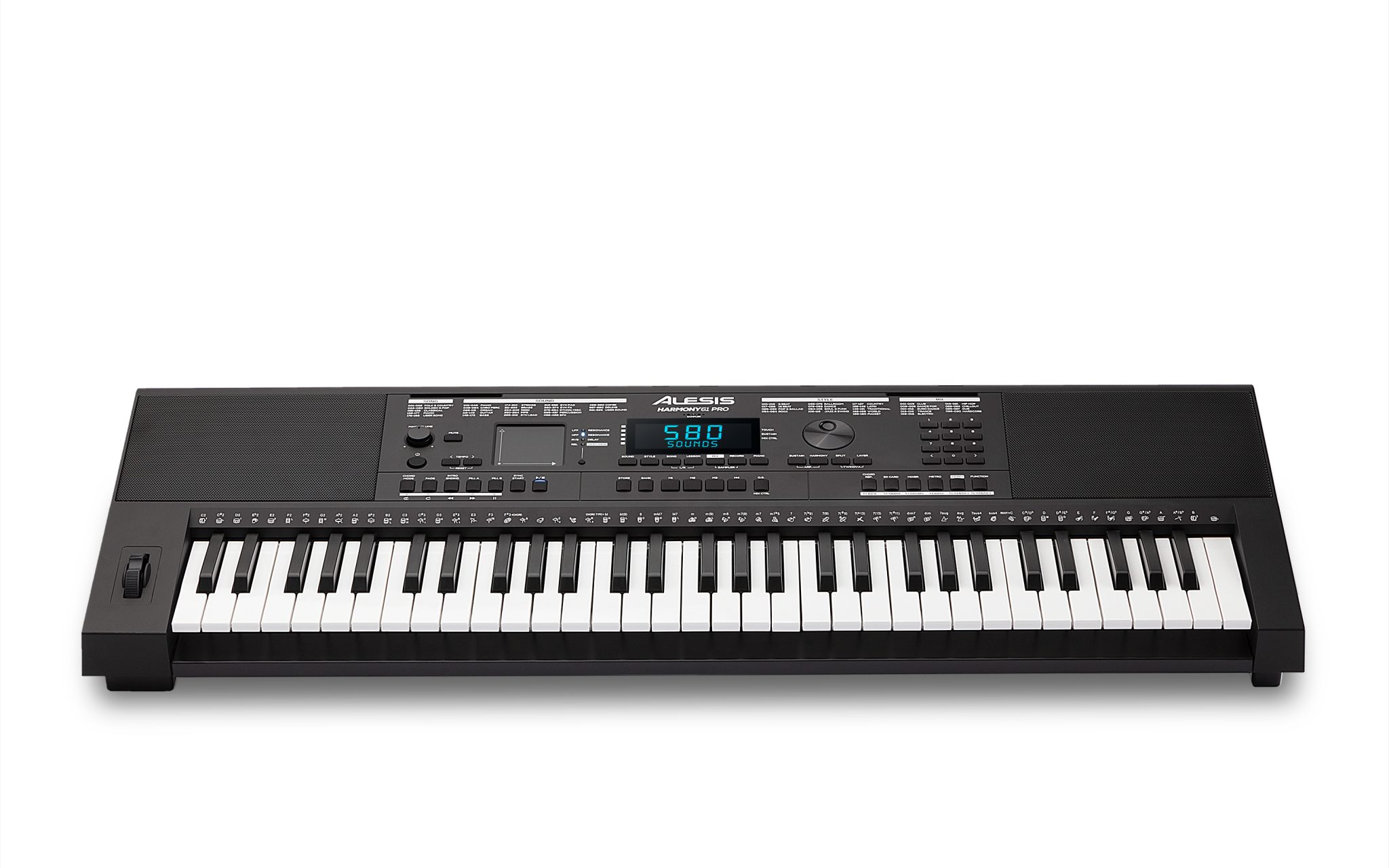
Any time you want a feature-packed board, the Alesis Harmony 61 Pro puts 61 premium touch-sensitive keys and an intuitive control set at your fingertips; its DJ-Style Mix Mode with X/Y performance pad and built-in sampler let you shape sounds live, while the 30W stereo speakers and SD WAV recorder handle your practice, recording, and performance with professional clarity.
Key Features
You get a feature-packed 61-key workstation with performance tools designed for practice, production, and live play; the layout is intuitive so your focus stays on music. DJ-Style Mix Mode, a built-in sampler, SD recording (.WAV), and onboard lessons make it versatile and immediate. Knowing the combination of 61 full-size keys, 580 sounds and a 30W stereo system lets you plan practice, performance, or recording with confidence.
- 61 full-size keys with adjustable touch response
- 580 premium sounds with layer and split modes
- 64-note polyphony
- DJ-Style Mix Mode with 30 styles and 5 sections
- X/Y performance touch pad and pitch-bend wheel
- Built-in sampler via onboard microphone
- Backlit LCD with notation and chord dictionary
- Record .WAV (16-bit, 44.1kHz) to SD card
- 180 auto-accompaniment patterns and 177 built-in songs
- On-board FX: reverb, chorus, slicer
- 30W (15W x2) stereo speakers and USB-MIDI
Keyboard and Sensitivity
Your playing benefits from 61 full-size, touch-sensitive keys with user-adjustable response so dynamics translate accurately; velocity curves suit both beginners and experienced players. The pitch-bend wheel and expressive controls let you shape phrases, while split/layer modes expand performance options for practice and live use.


Sound Library and Effects
You get a vast sonic palette with 580 premium sounds, multi-zone split/layering, and 64-note polyphony to prevent voice-stealing; built-in FX (reverb, chorus, slicer) and the X/Y pad supply modern textures and performance flair for immediate creativity.
More deeply, the DJ-Style Mix Mode and section muting let you arrange on the fly, and the onboard sampler lets you capture and trigger personal sounds. Use the SD recording (.WAV) to archive ideas, but manage monitoring levels carefully to avoid hearing damage when using the powerful 30W speakers or headphones.
DJ-Style Mix Mode
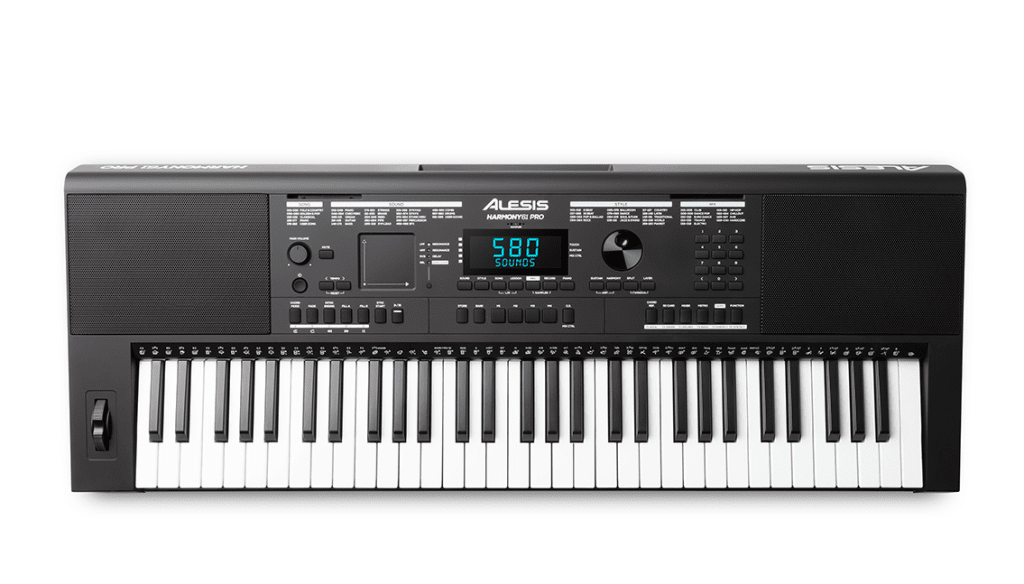
The DJ-Style Mix Mode turns the Harmony 61 Pro into a performance engine, giving you 30 modern styles with 5 sections each, on-the-fly instrument mute/unmute and a built-in sampler so you can drop your own sounds into a live mix. You control arrangement and dynamics in real time using the pads and controls, but be aware that pushing aggressive FX and high output can cause clipping or speaker strain if you crank levels too far.
Accompaniment Patterns
The keyboard’s accompaniment engine supplies 180 built-in auto-accompaniment patterns across genres, letting you lock in grooves, practice with realistic backing bands and explore chord voicings via the built-in chord dictionary. You can adjust sections and tempo (from 5-280 BPM) to craft practice routines or live arrangements that make your parts sound fuller and more polished.
X/Y Performance Touch Pad
The X/Y Performance Touch Pad gives you tactile control over DJ-style FX, letting you sculpt filter and side-chain effects and morph sounds mid-performance for dramatic sweeps and rhythmic gating. You’ll use gestures to add expression and transition between sections, transforming static backing tracks into dynamic mixes instantly.
In practice the X/Y pad is highly responsive and intuitive, ideal for adding rhythmic ducking, filter opens or sample mangling; you can even assign it to multiple FX for layered control. Use it to animate loops and samples, but watch out for abrupt movements-sharp gestures can produce clicks, pops or unexpected peaks if levels aren’t managed.
Recording Capabilities
You can capture performances and samples directly on the Harmony 61 Pro using its built-in recorder and sampler; it records high-quality audio as .WAV (16-bit, 44.1kHz) to an SD card for practice review and sharing. Be aware that removing the card or losing power during recording can corrupt files, so use a reliable card and safe ejection.
Built-In Personal Recorder
Your personal recorder lets you save full performances as lossless .WAV (16-bit, 44.1kHz) files directly to the SD card; it’s ideal for assessing progress and creating shareable takes. You can also sample sounds via the onboard mic and trigger them instantly from the keys. To protect your files, avoid interrupting recording or powering down mid-take.
SD Card Input Functionality
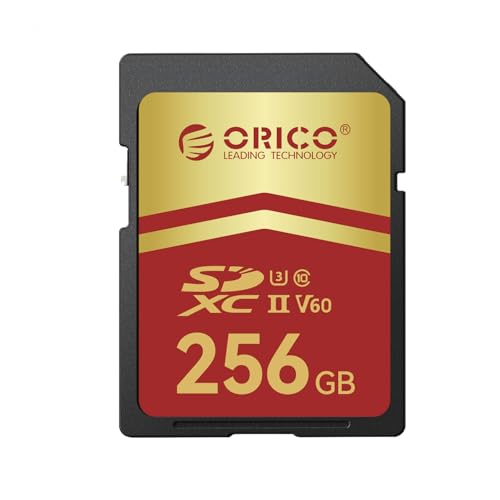
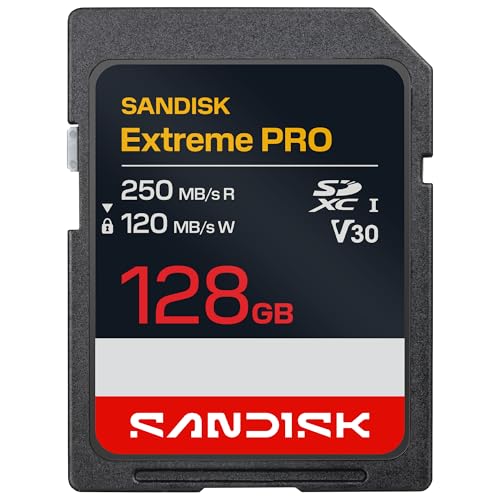
The SD card input stores recordings and samples in standard .WAV format so you can transfer them to a computer or portable device; it also enables on-board playback of saved tracks. Use a quality, high-speed card and never remove the card during active recording to prevent data loss.
For reliable operation, format the SD card in the keyboard before first use, choose a fast card (Class 10 or UHS-I) to avoid dropouts, and keep backups of your .WAV files on a computer or cloud. If you experience glitches, try a different card and confirm the card is properly seated; power interruptions during write operations are the main cause of file corruption.


Learning and Support Resources
The Harmony 61 Pro bundles built-in learning tools and online courses so you can progress fast: a Melodics 30-day free trial with 100 free lessons, 3 months of Skoove Premium, a built-in chord dictionary and step-up lesson songs, plus lossless .WAV recording for self-review. You get guided practice, adaptive lessons, and direct support to develop technique and repertoire at your own pace.
Melodics 30-Day Free Trial
You can register your Alesis keyboard to unlock a 30-day free trial of Melodics Premium with 100 free lessons. Available on macOS, Windows and iPad, Melodics gives you bite-sized, interactive exercises that adapt to your play and focus on timing, finger independence and groove so you can build practical skills quickly.
Skoove Premium Access
Your Harmony 61 Pro includes 3 months of Skoove Premium, giving you adaptive courses, a curated catalogue from pop to classical, and one-on-one support from experienced musicians so you can expand songs and theory with guided feedback and flexible practice schedules.
Skoove provides real-time feedback and progress tracking, with new, exclusive lessons added every month, an expanding repertoire, and tailored theory tips to level up your playing; you can practice at your own pace, replay difficult sections, and contact Skoove’s team for personalised help when you need it.
FAQ
Q: What are the main features of the Alesis Harmony 61 Pro and who is it best suited for?
A: The Harmony 61 Pro is a feature-packed 61-key keyboard with adjustable touch-sensitive keys, 580 premium sounds with layer and split modes, and 64-note maximum polyphony. It includes 177 built-in songs with step-up lessons, 180 auto-accompaniment patterns, 10 reverb and 8 chorus FX plus 2 slicer effects, a pitch-bend wheel, and an X/Y performance touch pad for expressive control.



Audio is delivered through a powerful 30W (15W x 2) stereo speaker system and there are stereo 1/4″ outputs and a headphone output for private practice or connecting to external gear. Connectivity includes USB-MIDI, a stereo 1/8″ aux input for backing tracks, and SD card recording. It ships with a power adapter and music rest, and can run on six AA batteries for portable use. These capabilities make it suitable for beginners who want guided learning and expansive sounds, and for experienced players who want sampling, live performance features, and recording options.
Q: How does the DJ-Style Mix Mode and built-in sampler work?
A: DJ-Style Mix Mode offers 30 modern styles with five sections each, allowing on-the-fly arrangement by muting/unmuting instruments and switching sections during playback. The X/Y performance touch pad provides filter, side-chain and other DJ-style FX to manipulate sections in real time, while the pitch-bend wheel and onboard FX add additional expression. The built-in microphone lets you sample your own sounds and map them to the keybed instantly, so you can play recorded samples like any other voice and incorporate them into mixes and performances.
Q: What are the recording, learning and connectivity options available?
A: You can record performances directly to an SD card as high-quality .WAV files (16-bit, 44.1 kHz) using the onboard recorder. The easy control panel features a backlit LCD screen with notation and a built-in chord dictionary to assist practice. Alesis includes a 30-day free trial of Melodics Premium with 100 lessons and three months of Skoove Premium to accelerate learning. For integration with DAWs and educational apps, the keyboard supports USB-MIDI; there is also a stereo aux input for playing along with mobile devices and stereo line outputs for PA or audio interfaces. Power options include the supplied adapter or optional battery operation with six AA cells.