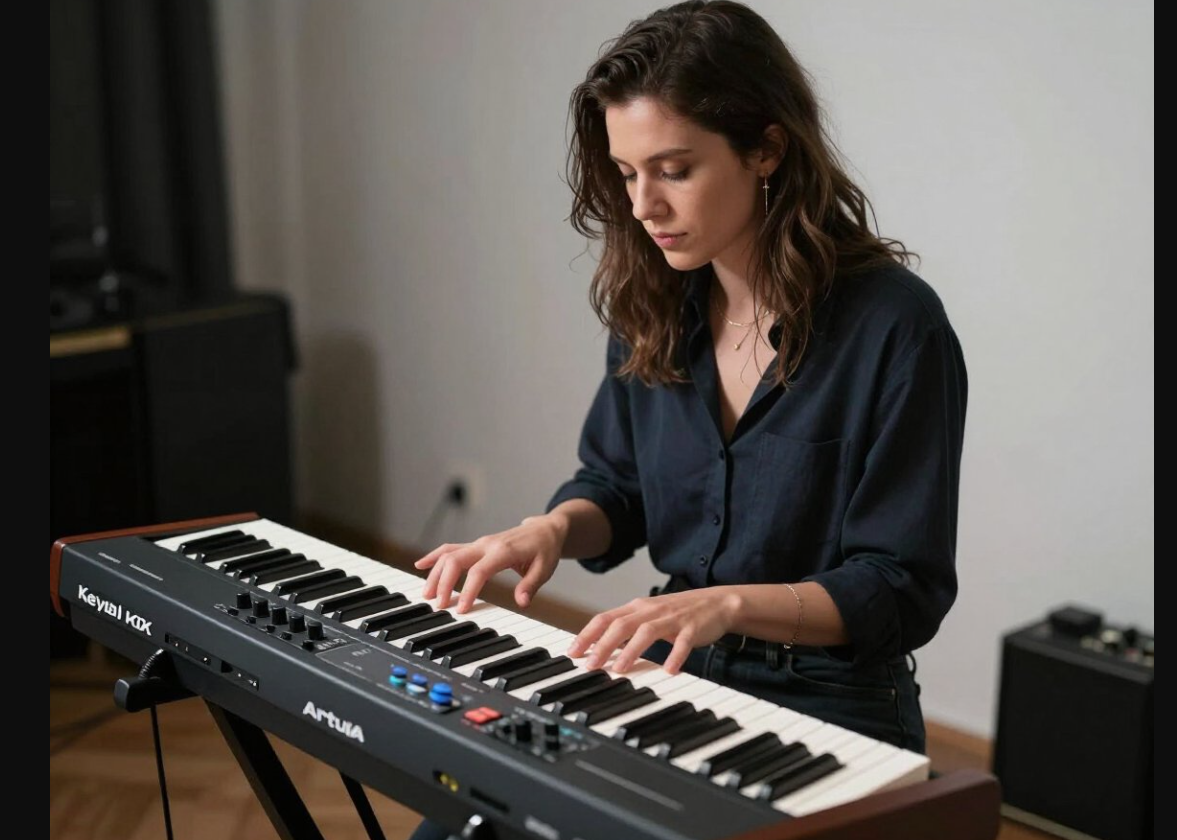
Arturia KeyLab 49 MkII is a 49‑key semi‑weighted controller that aims to be the “main hub” for a serious studio or live rig, just in a more compact format than its 61‑key sibling.
It targets intermediate and advanced players and producers who want tight control over their DAW and virtual instruments without giving up a musical-feeling keybed.
Arturia KeyLab 49 MkII – Overview
From an experienced player’s perspective, KeyLab 49 MkII feels like a professional controller first and foremost, not a budget MIDI keyboard.
You get a shorter 49‑key range, but the intent is clear: a high‑quality main controller for studios where space is limited or where the extra octave isn’t essential.
Design and Build
The design is immediately reassuring: a robust chassis with metal and wood accents, clear panel printing, and properly mounted controls that do not feel flimsy when you dig in.
Pitch and mod wheels, faders, encoders, and pads are all placed where your hands naturally fall, which matters when you are juggling playing, tweaking, and recording at the same time.
Key Action and Playability
The 49 semi‑weighted keys are velocity‑sensitive with channel aftertouch, giving a satisfying balance between piano‑style resistance and the agility needed for synth and organ work.
For studio use, that means you can record expressive chordal parts with real dynamic nuance, then immediately switch to fast leads or bass lines without feeling held back by the keybed.
Sound / Control Capabilities
As a pure controller, its “voice” lies in how it drives your software, and this is where the MkII line built its reputation.
Deep integration with Arturia’s Analog Lab and V Collection, plus dedicated mappings for major DAWs, turns the front panel into a hands‑on control surface for filters, envelopes, macros, mixer levels, transport, and more.
Features That Matter in Daily Use
Day‑to‑day, the most valuable features are the 16 RGB pads (for drums, clips, and triggering), 9 faders, 9 rotary encoders, transport controls, and the ability to store and recall custom user presets.
Add multiple pedal inputs and proper 5‑pin MIDI alongside USB, and the board slots neatly into hybrid setups with hardware synths and outboard gear as well as a DAW.
Workflow, Setup, and Learning Curve
Once drivers and software are installed, the workflow is built around quick, musical control: select a sound, tweak it from the panel, record immediately, and keep moving.
There is some depth to learn—particularly if you want to design custom templates and advanced splits/layers—but for a regular working player, the basics become second nature surprisingly quickly.
Who KeyLab 49 MkII Is Really For
In practice, this keyboard makes the most sense for:
-
Players at: intermediate to advanced level who already spend serious time in a DAW.
-
Main uses: studio production, songwriting, arranging, and live rigs where portability and desk space are priorities, but expressive control is non‑negotiable.
If you mainly compose, program, and record with virtual instruments and do not need a full 61‑ or 88‑key span, 49 keys keeps the footprint tight without feeling cramped.


Pros and Cons From a Player’s Perspective
What it gets right
-
Semi‑weighted, aftertouch‑enabled keybed that feels genuinely musical for serious studio work.
-
A rich, well‑laid‑out control surface (pads, faders, encoders, transport) that replaces a lot of mouse‑driven tweaking.
-
Strong software and DAW integration, especially with Arturia instruments, turning it into a true control centre rather than a generic keyboard.
Where it falls short
-
49 keys can feel limiting if you frequently play two‑handed piano parts or complex splits.
-
The depth of features and mapping options can be overkill if you only need a simple input keyboard.
-
As a controller with no internal sounds, it is entirely dependent on a computer or external sound source, so it won’t replace a standalone stage piano.
Final Verdict
From an experienced musician’s standpoint, Arturia KeyLab 49 MkII is a smart choice if you want a compact yet professional controller that you can confidently call your “main board” in the studio.
If your work revolves around DAWs and virtual instruments and you value expressive keys plus deep, tactile control more than sheer key count, this is exactly the kind of controller you pick up now and build your entire workflow around, instead of cycling through cheaper keyboards that never quite feel like a real instrument.